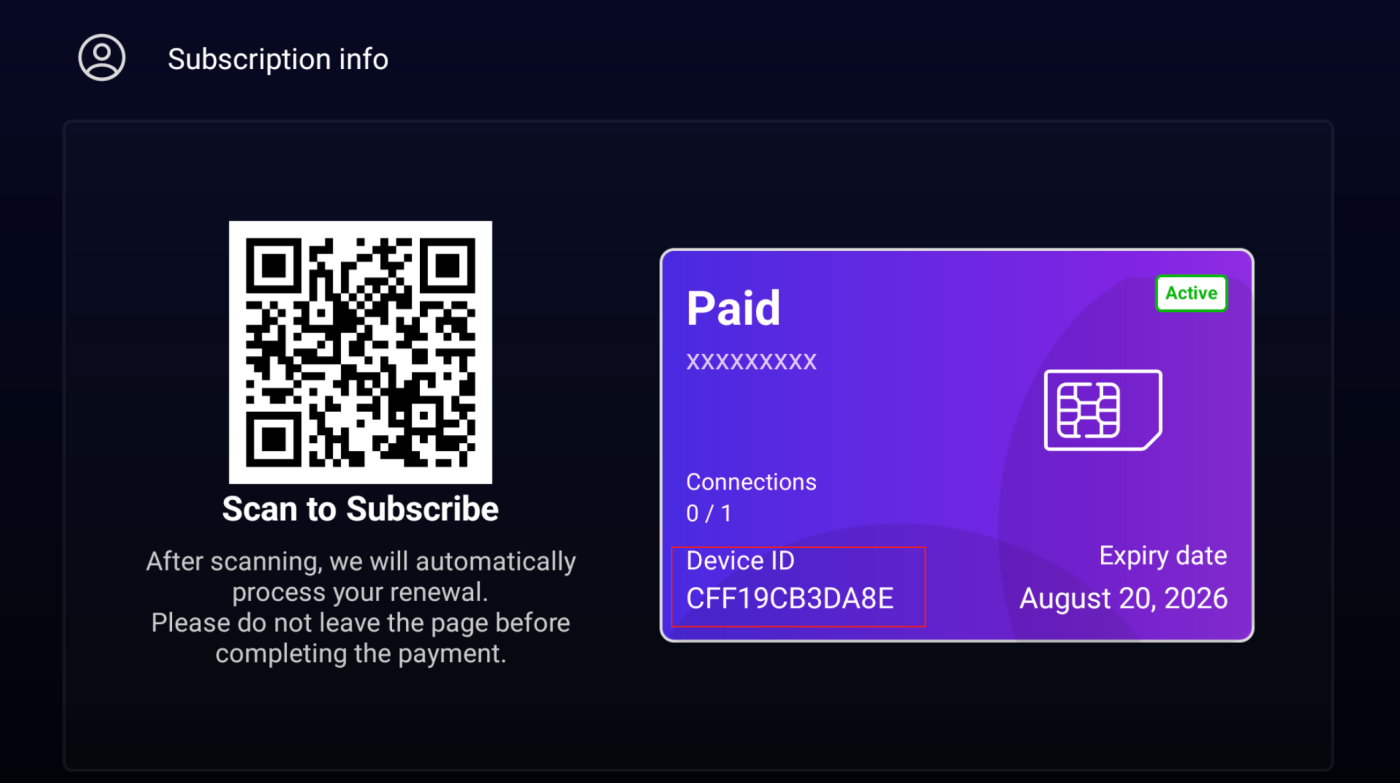
Find your AwehTV Device ID for activation or support
Your AwehTV Device ID is the code support may ask for when activating, renewing, or troubleshooting your subscription. Use this guide to find it inside the AwehTV app, then return to choose an AwehTV package, recharge or renew AwehTV, or subscribe to AwehTV.
Step 1 – Open Profile Page
Launch the AwehTV App.
On the home screen, click the Profile Icon (👤) at the top right corner.
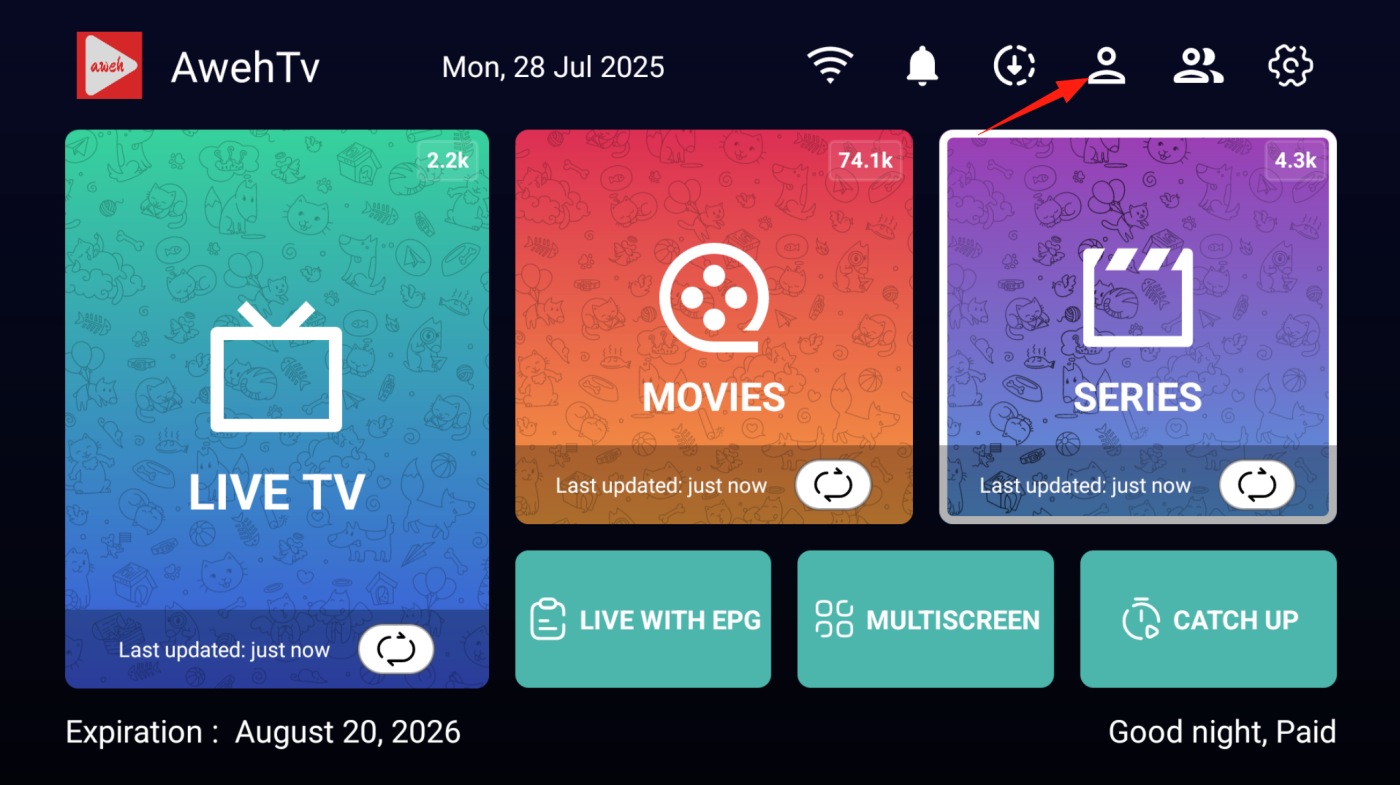
Step 2 – View Device ID
- On the Subscription Info page, look for Device ID.
- It is displayed in the purple card, for example:
CFF19CB3DA8E
- This is the code you need for activation or support.